
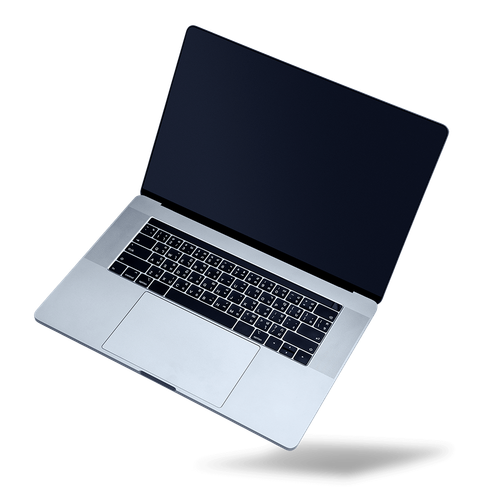
Repair of laptop computers
Our «Laptop Repair» service gives you a reliable solution for the problems you may have with your laptop. We know how much you depend on your laptop every day, and how a fault can affect your work and your peace of mind. That is why we work quickly and carefully, so that your laptop is fully working again in the shortest possible time.
Our technicians are highly specialised and have many years of experience repairing laptops of all makes and models. They keep up to date with the latest technology and are trained to deal with almost any problem on most laptop brands.
We always start with a thorough diagnostic check, to find the exact cause of the fault. Our «detect before repair» approach lets us offer a solution that fits your laptop, and helps you avoid unnecessary and expensive work.
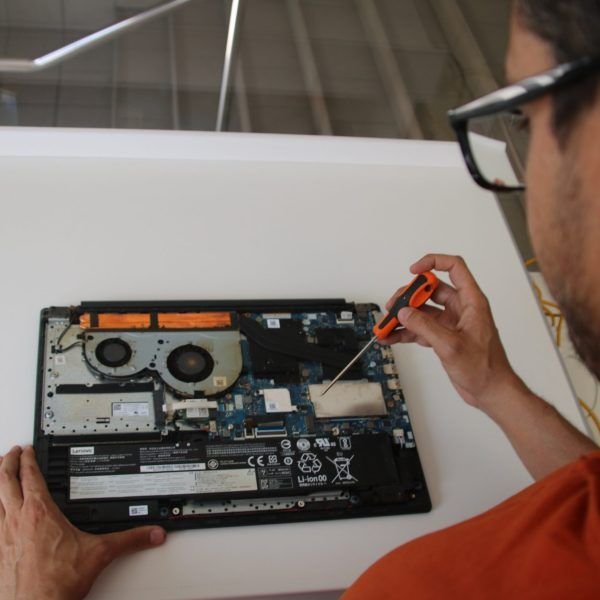
How laptop repair works
- On-site visit and inspection. We come to your home or office and inspect your laptop.
- Inspection or collection. We spend up to an hour inspecting the laptop on site or, if needed, we take it away for a full examination.
- Clear diagnosis. We find the cause of the problem and explain it to you, with the best solution and its price.
- Repair after your agreement. We carry out the agreed work quickly and carefully.
On-site visit, inspection, initial diagnosis and collection: €50. BUT IF your laptop is not damaged:
- and only needs a tune-up, the Tune-Up Service fees apply instead;
- AND/OR IF heavily infected with viruses, the fees are: on-site visit €35 + on-site inspection (1st hour) €65 + standard rate €30 per hour (see virus removal).
In both cases, we deduct the €50 from the tune-up or virus removal fees.
We repair almost all laptop brands. We also do upgrades and maintenance, and write reports for insurance claims.
Book an appointment and tell us what is wrong with your laptop.
Pay €50 by card to prepay the visit, diagnosis and collection.
What is wrong with your laptop?
Broken screen
Cracks, lines, dark spots or no picture at all? We replace the screen with a part that fits your model.
Battery runs down quickly
If the battery lasts only a short time, or swells, a new battery gives your laptop back its freedom from the socket.
Laptop does not charge
The cause is often the charger, the charging port or the battery. We measure each one to find the faulty part.
Keyboard faults
Keys that do not work, or a drink spilled on the keyboard? We check whether it can be repaired or must be replaced.
Laptop is slow
Slow start-up and programs that freeze often mean an old hard drive, too little memory or unwanted software. See our speed upgrade.
Laptop gets hot
A loud fan and a hot case mean the cooling system needs cleaning, and sometimes new thermal paste. See our tune-up.
Common services and what to expect
- Common repairs: screen replacement, battery replacement, keyboard repair, SSD speed upgrades, RAM upgrades, and cleaning of the cooling system against overheating.
- Diagnostics: the €50 fee covers the on-site visit, a first inspection (if the laptop still works), collection, and diagnosis and testing in our workshop. We send you the repair quotation by email or SMS. IF you accept it, you pay for the repair in full before we start.
- Laptop repair prices: all POA, subject to a quotation after the inspection and diagnosis.
Frequently asked questions
Here are the answers to the questions we hear most often about computer and laptop repair. We know that your computer, laptop and tablet are essential for your daily life, at home and at work, so we aim to solve problems quickly and efficiently.
Where can I get my laptop repaired?
You do not need to take your laptop anywhere: we come to you, and collect the laptop if needed. We bring it back when the repair is ready.
My laptop no longer charges. What should I do?
The cause can be a faulty charging cable or adapter, a damaged charging port or a worn-out battery. Our technicians measure the adapter and the battery, find the fault and repair it where possible.
How can I recover my data if my hard drive has crashed?
If your hard drive has crashed or makes a ticking noise, we can try to recover your data with specialised tools and techniques. Stop using the laptop until then, because every use can cause more damage. To avoid losing data, always make regular backups. Contact us for a quick diagnosis.
What should I do if I spill a liquid on my laptop?
Switch the laptop off at once, unplug it from the mains and remove the battery (if it can be removed). Do not try to dry the laptop yourself: this can make the damage worse. Simply cover it with paper towels or a dry towel to soak up the liquid, and stand the laptop on its side with the ports facing down, raised slightly off the surface. Then call us for an inspection.
What are the advantages of an SSD over a hard drive? Is the upgrade worth it?
Yes. An SSD starts Windows much faster (about 20 seconds), makes the laptop quicker and is more reliable than a traditional hard drive, because it has no moving parts. An SSD is also quieter and uses less power.
For full information about Speed upgrades for your Laptop, please read our web page PC / Laptop Speed Upgrade.
Do you have a question that is not answered here? Send us an email or call us. We are happy to help!
On-site technical support service
An on-site technical support service provides clients with expert, hands-on assistance delivered directly at their physical location (home, office or business). This service is essential for complex issues that cannot be resolved remotely and require a technician to physically interact with the hardware, network or localised software environment.
At Computer Studio - ServTec.Info we provide an array of IT support and computer repair services. Whether you are looking for a trusted service provider, want to optimise your computer's performance, or wish to troubleshoot a specific issue, this guide will serve as a valuable resource.
Key offerings for the client
- Direct hardware repair & troubleshooting: diagnosing and fixing physical issues with computers, servers, printers and peripherals, including component replacement, cable management and internal maintenance.
- Network setup and configuration: installing, configuring and troubleshooting local area networks (LANs), Wi-Fi systems, routers and switches for secure and reliable connectivity.
- System installation & upgrades: performing complex installations of new operating systems, business software suites, or significant hardware upgrades that necessitate on-site presence and rigorous testing.
- Data backup and recovery: implementing and verifying local backup solutions or performing in-depth data recovery procedures on damaged drives or inaccessible systems.
- Personalised, hands-on training: tailored training sessions for employees or individuals on new equipment, software, or best practices within their actual working environment.
- Minimal downtime: by coming directly to the client, the service ensures a faster resolution for critical issues, significantly minimising business disruption compared to off-site repair logistics.
This service offers convenience, rapid resolution and confidence that complex technical problems are being handled by qualified professionals directly where the technology resides. We specialise in virus, malware and spyware removal to restore your system's speed and security, and implement strong protection measures to prevent future infections and data loss. We also carry out memory upgrades and SSD replacements to speed up Windows booting, program loading, document scrolling and games.