
Your office printer, installed and working
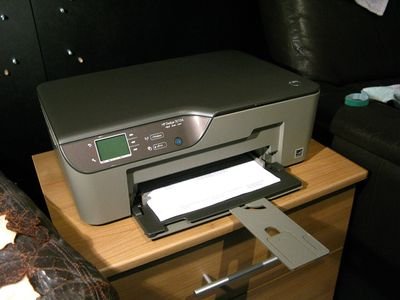

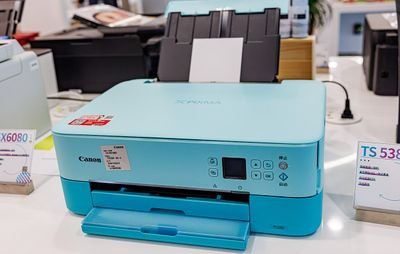

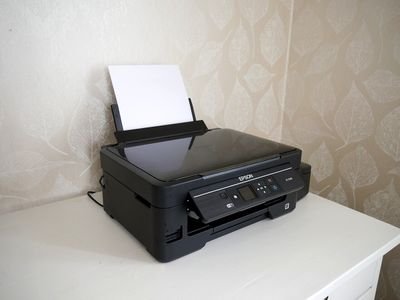

A printer that only works on one computer, keeps going "offline" or prints from some PCs and not others costs your business time every day. We install your new printer properly, on the network and on every computer that needs it, so it just works for the whole team.
We install inkjet, laser and all-in-one (print, scan and copy) printers from all the major brands, including HP, Canon, Epson and Brother, for offices, shops and small businesses running Windows 10 and Windows 11.
What our on-site business printer installation includes
1. Unpacking and preparing the printer
- We help you choose the right place for the printer: near a power socket and a network point or within good Wi-Fi range, easy for your staff to reach, on a stable surface with room for the paper trays.
- We remove all the packing materials, including the protective tape and cardboard inserts hidden inside the printer, which stop it working if they are left in.
- We fit the ink cartridges, fill the ink tanks (Epson EcoTank, Canon MegaTank, HP Smart Tank) or install the toner cartridge in a laser printer.
- We load the paper trays, switch the printer on, set the language, date and time, and run the printer's own print head alignment.
2. Connecting the printer: office network, Wi-Fi or USB cable
- Office network (network cable): the most reliable choice for a shared printer. We connect the printer to your router or network switch, so every computer in the office can use it.
- Wi-Fi: the printer joins your office wireless network. We connect it using the printer's control panel, the WPS button on your router, or the manufacturer's set-up app.
- Fixed network address: for network and Wi-Fi printers we make sure the printer always keeps the same network address, so it does not keep showing as "offline" on your computers.
- USB cable: for a printer used by one person at one desk. Many new printers do not include a USB cable in the box. If you do not have a printer cable, we can bring a shielded USB printer cable for €10.
3. Downloading the correct Windows drivers and software
- We download the latest drivers only from the manufacturer's official support website (HP, Canon, Epson or Brother). We never use third-party "driver download" sites, which often bundle adware and unwanted programs.
- We install the full driver package, so that every feature works: two-sided printing, scanning, and ink or toner level warnings.
- We leave out the trial offers, advertising and extra programs that your business does not need.
4. Configuring the printer
- We set the default paper size (A4), paper type and print quality, and switch on two-sided (duplex) printing to save paper where the printer supports it.
- Where it suits your business, we set black-and-white as the default to keep your ink and toner costs down, with colour still available when you need it.
- On all-in-one printers we set up scanning to your PCs, and scan-to-email or scan-to-folder where the printer supports it.
- We install any available firmware update for the printer.
5. Configuring Microsoft Windows on your office computers
- We add the printer in Windows (Settings > Bluetooth & devices > Printers & scanners) on each office computer that needs it, and make it the default printer.
- We turn off "Let Windows manage my default printer", so Windows does not keep switching to a different printer.
- We remove old or duplicate printer entries that confuse your staff.
- We check that everyone can print from the programs your business uses: Word, Excel, PDF files and your web browser.
6. Finally: the Windows printer test page
We always finish by printing a Windows printer test page (Printer properties > Print Test Page) from each computer we set up. It confirms that Windows, the driver and the printer are communicating correctly, and that the printer is correctly installed. The test page also lists the driver and connection details, so keep it with your office IT records for future reference.
Price
Business printer installation: €50, plus the standard on-site visit fee.
Shielded USB printer cable, if you need one: €10.
We will come to your business and install your new printer. Request on-site business IT support or see the price list (Gran Canaria).
On-site technical support service
An on-site technical support service provides clients with expert, hands-on assistance delivered directly at their physical location (home, office or business). This service is essential for complex issues that cannot be resolved remotely and require a technician to physically interact with the hardware, network or localized software environment.
At Computer Studio - ServTec.Info we provide an array of IT support and computer repair services. Whether you are looking for a trusted service provider, want to optimize your computer's performance, or wish to troubleshoot a specific issue, this guide will serve as a valuable resource.
Key offerings for the client
- Direct hardware repair & troubleshooting: diagnosing and fixing physical issues with computers, servers, printers and peripherals, including component replacement, cable management and internal maintenance.
- Network setup and configuration: installing, configuring and troubleshooting local area networks (LANs), Wi-Fi systems, routers and switches for secure and reliable connectivity.
- System installation & upgrades: performing complex installations of new operating systems, business software suites, or significant hardware upgrades that necessitate on-site presence and rigorous testing.
- Data backup and recovery: implementing and verifying local backup solutions or performing in-depth data recovery procedures on damaged drives or inaccessible systems.
- Personalized, hands-on training: tailored training sessions for employees or individuals on new equipment, software, or best practices within their actual working environment.
- Minimal downtime: by coming directly to the client, the service ensures a faster resolution for critical issues, significantly minimizing business disruption compared to off-site repair logistics.
This service offers convenience, rapid resolution and confidence that complex technical problems are being handled by qualified professionals directly where the technology resides. We specialize in virus, malware and spyware removal to restore your system's speed and security, and implement strong protection measures to prevent future infections and data loss. We also carry out memory upgrades and SSD replacements to speed up Windows booting, program loading, document scrolling and games.